

Sign out and share a phone
You sign out of the Pristo GO app from the menu of the projects list, the menu of a project, or the Support screen. Signing out keeps your records on the phone, including the ones not yet synced, and they come back when you sign in again on the same phone.
Before you start
Section titled “Before you start”- Sync first if you can, then open each project with a ↑↓ line on its card and wait until the line goes away: the photos of finished records upload in the background after you open a project, and signing out stops that upload. See Sync your data.
- The app doesn’t warn you about unsynced records when you sign out.
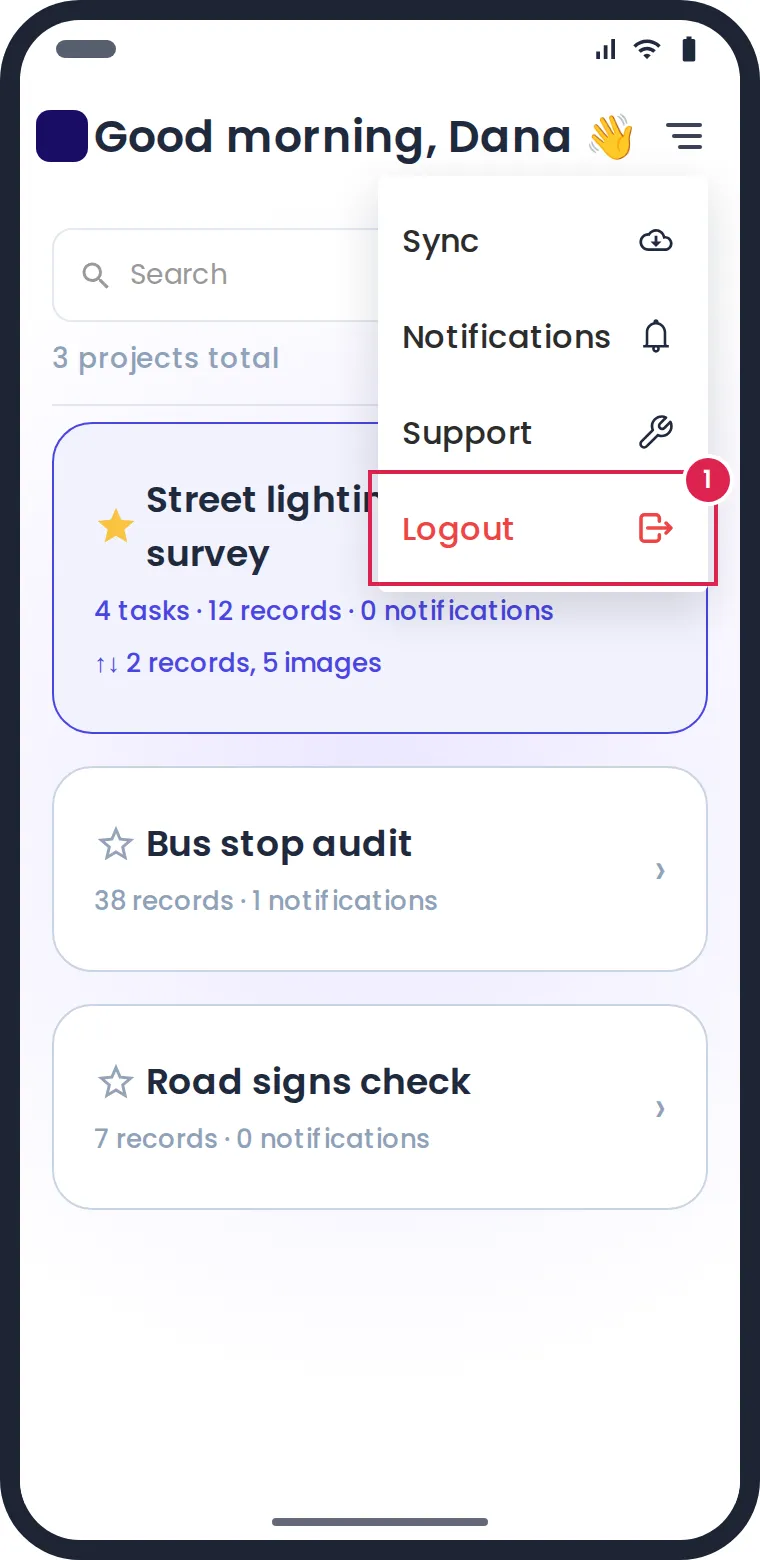
-
In the projects list or in a project, open the menu at the end of the header (the three-line button), then select Logout. On the Support screen, select Log out of the app.
-
In the Logout dialog, select Yes.
Result
Section titled “Result”The sign-in screen opens with your username and organization code filled in. The Location Active notification goes away, and the app stops syncing in the background.
Signed out for inactivity
Section titled “Signed out for inactivity”Your organization sets how long you can stay away from the app before it signs you out. When that time has passed, the app shows Logged out due to inactivity and opens the sign-in screen the next time you open it. Sign in again as the same user to continue: nothing is lost.
Only time spent on the app’s main screens, such as the projects list, a project or a task, counts as activity. Time spent inside a record or the camera doesn’t. An open record is never closed by the timeout, but if you spend longer in one record than the limit, the app signs you out when you go back to the project. Your saved answers stay on the phone.
Signed out when your session ends
Section titled “Signed out when your session ends”If your session has ended, a sync or the notifications screen shows User is no longer authenticated, please login again. In the sync dialog, its Try again button, Back and a tap outside the dialog all sign you out. On the Sync screen of Support and on the notifications screen, Ok signs you out and Cancel keeps you on the screen. Sign in again to continue. Background syncs never sign you out.
Several people on one phone
Section titled “Several people on one phone”The app keeps a separate copy of each user’s data on the phone:
- When you sign out, the app keeps your projects and records, including unsynced ones, for you.
- When another user signs in, they see only their own data. Your unsynced records stay on the phone, not sent, until you sign in again on that phone.
- When you sign in again, your data comes back and your waiting records are sent at the next sync.
Troubleshooting
Section titled “Troubleshooting”My records are gone after a colleague used the phone. Each user sees only their own data. Sign out and sign in with your own account on the same phone.
The app signed me out in the middle of my work. The inactivity limit passed while the app was closed, or while you were inside a record for a long time. Sign in again. Your saved records are still on the phone.