

See records and tasks on a map
A Pristo GO project or task can show its tasks or records on a map instead of a list. You select a pin to open the item or to navigate to it with Google Maps or another navigation app.
Before you start
Section titled “Before you start”- Tasks appear on the map when they have a location. Records appear only in projects set up to map them by one of their address fields.
- Allow location for the app, so the map can show your position.
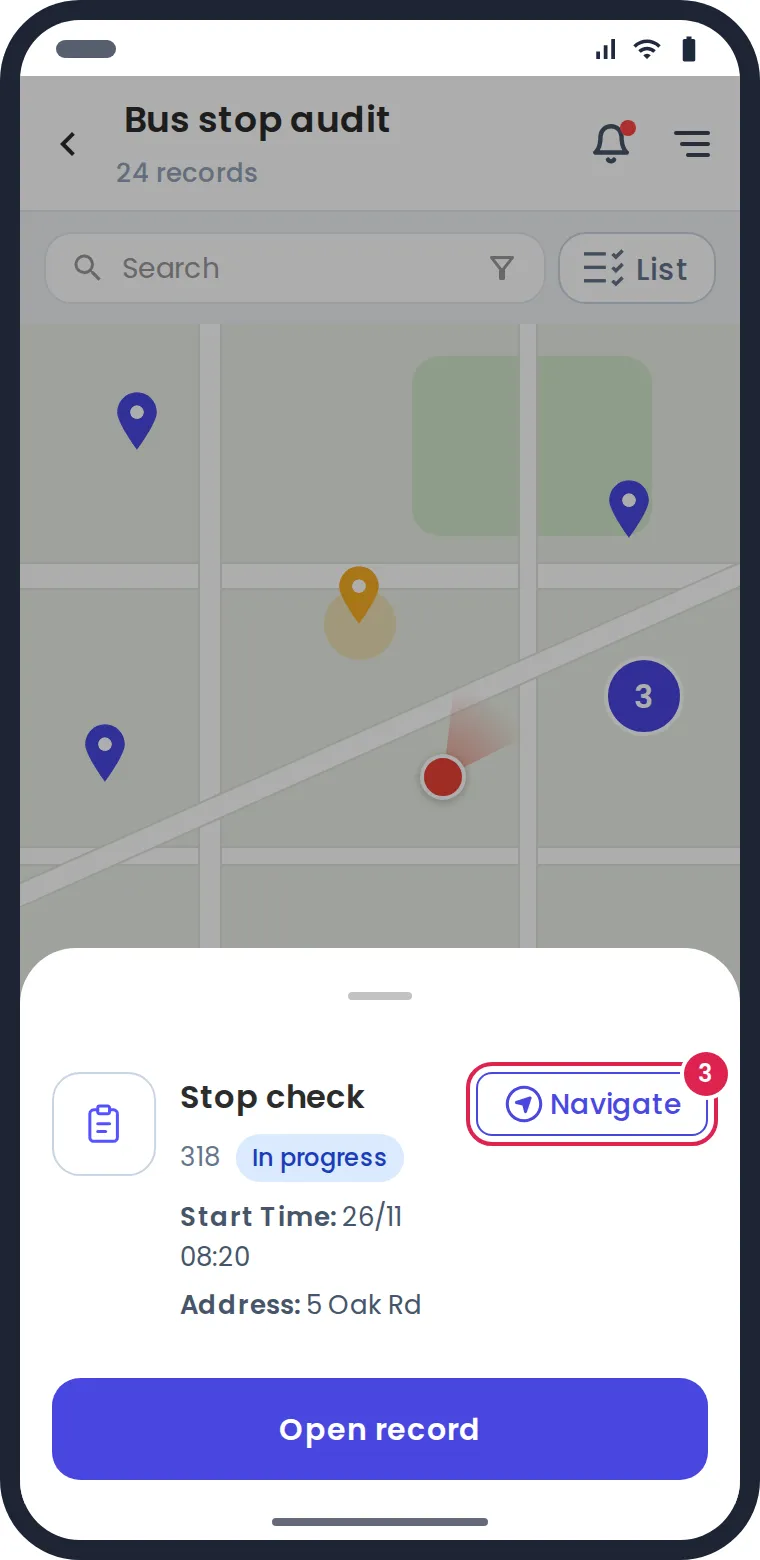
-
In the project or task, select Map.
-
Select a pin. A panel opens with the record or task. Pins at the same spot show as one circle with a number: select it to see them all.
-
Select Navigate to go there, or Open record to open the record. For a task, the button is Open task. The open button appears for a single item that can be opened, not for a circle of several.
Result
Section titled “Result”Navigate opens Google Maps with turn-by-turn navigation to the pin. If the phone has other navigation apps, such as Waze, the app asks Navigate with first. Without Google Maps, another map app opens the point.
Limits
Section titled “Limits”- Your position is a red dot. The button with your position moves the map to it once the phone has a location.
- The search and search field of the list also filter the pins.
- List goes back to the list.
- Pins appear only for places north of the equator and east of Greenwich, such as Israel. Items elsewhere stay in the list.
Troubleshooting
Section titled “Troubleshooting”The map shows No items with a location to show on the map. None of the items in the list has a location, or your search hides them.
There is no Map button in my project. The project isn’t set up to show records on a map, or its list is empty. A project with tasks has the button on its task list once it has a task. Inside a task, the button appears only when the project maps records and the task has records.