

Add items on a repeating page
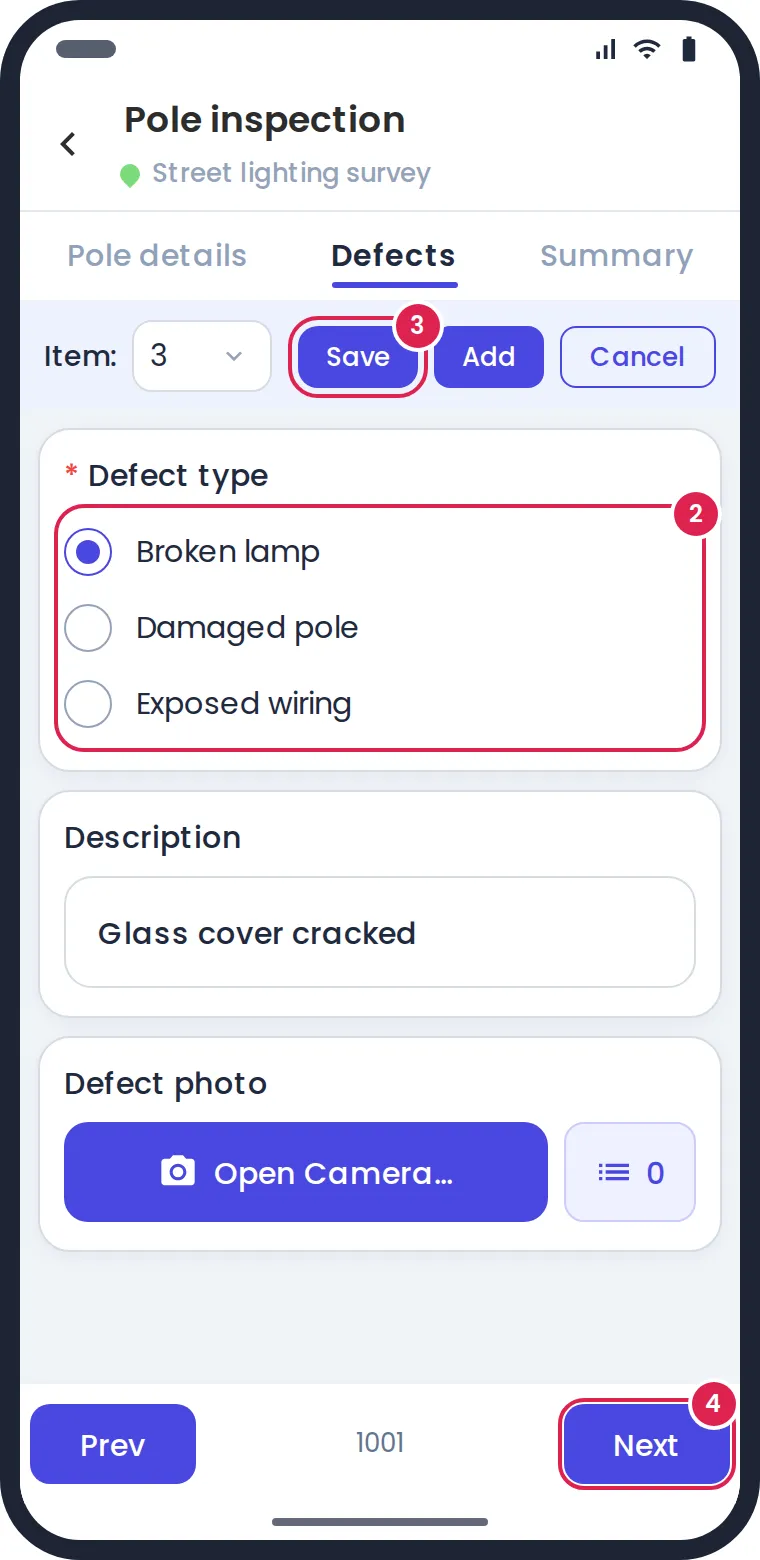
A repeating page in a Pristo GO record holds several items of the same kind, such as one item per defect found or per room inspected. Each item has the page’s fields. The bar under the page names shows Item: with a list of the items and the buttons to add and delete them.
Before you start
Section titled “Before you start”The questionnaire decides whether you can add and delete items on a page. If a button is missing, the page doesn’t allow it.
-
On the repeating page, select Add in the item bar. A new, empty item opens.
-
Fill in the item’s fields. The bar now shows Save, a second Add button when the page allows more items, and Cancel.
-
Select Save to save the item, or the second Add button to save it and start the next one. Cancel throws away your changes to the item, but a new item stays in the list, empty: to drop it, select Cancel, then Delete.
-
When all items are in, select Next. The app checks every item before it moves on.
Result
Section titled “Result”The items are saved in the record. The list in the item bar shows each item by its number, with a title from one of its answers when the questionnaire sets one, for example 2 - Kitchen. After the check, items with errors are red and the others green.
Work with items
Section titled “Work with items”- Open an item: select it in the list in the item bar. The list is locked while you edit an item, so save or cancel first.
- Fix an item: open a red item. The app marks its wrong fields and scrolls to them.
- Delete an item: open it, select Delete, then Yes. Its answers and files are deleted, and the items after it move up one number. The delete button is hidden while you edit an item.
- Empty page: an optional repeating page with no items shows No items yet. You can move on without adding any.
- Required page: a repeating page that needs at least one item opens the first item for you.
Troubleshooting
Section titled “Troubleshooting”I can’t choose another item in the list. You are editing an item. Select Save or Cancel first.
The last page is a repeating page and Finish doesn’t finish the record. In questionnaires with a fixed page order, a repeating last page can’t finish the record in this version. Close the record with Save and tell your organization’s Pristo GO admin, who can change the questionnaire.