

Set the SMS sender name
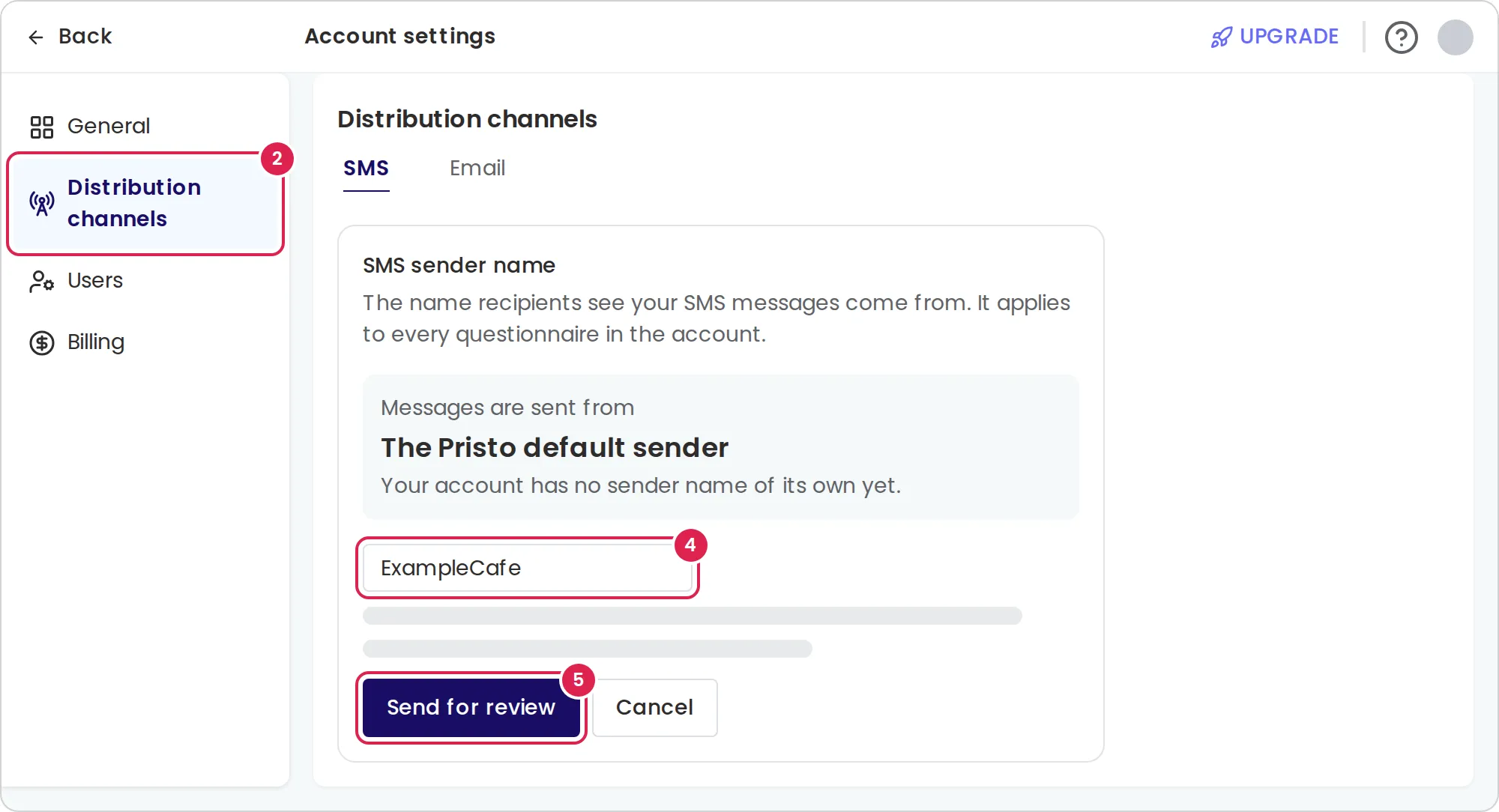
The SMS sender name is the name your recipients see as the sender of every text message Pristo CX sends for your account. An account admin requests it in Account settings > Distribution channels > SMS, and Pristo reviews the name before it is used.
Before you start
Section titled “Before you start”- Role: account admin. See roles and permissions.
- Plan: the setting is on every plan. It applies to SMS that distributions send, and the Distributions page appears on the Pro plan.
- Setup: none. Until your own name is approved, SMS go out from the Pristo default sender.
-
Select your profile picture, then Account settings.
-
Select Distribution channels. The SMS tab opens.
-
Select Request a sender name. If the account already has a name, the button is Request a different name.
-
Enter the name, for example
ExampleCafe. -
Select Send for review.
Result
Section titled “Result”The page shows Awaiting approval: ExampleCafe with the date of the request. Under Messages are sent from, the page keeps showing the name your SMS use now: your account’s approved name, or The Pristo default sender if it has none.
Pristo registers each name with the carrier, so a person at Pristo approves or rejects every request. Pristo emails the admin who sent the request either way, in that admin’s interface language:
- Approved: the new name replaces the old one at once, for every SMS the account sends from then on, including messages that were already scheduled.
- Rejected: the email gives the reason. Nothing changes, and you can request another name.
Change or remove the name
Section titled “Change or remove the name”- While a request waits, Withdraw the request cancels it. To ask for a different name, withdraw the request and send a new one.
- Retire this sender name retires your approved name, and SMS go out from the Pristo default sender again. To get the name back, request it again and wait for approval.
Limits
Section titled “Limits”- Letters and digits: up to 11 characters. Use Latin letters (A–Z), digits and spaces, with at least one letter. Spaces at the start and end are removed.
- Digits only: up to 15 digits.
- Hebrew and other non-Latin letters cannot be used. These limits come from the SMS standard, not from Pristo.
- One name per account. It applies to every program and every questionnaire in the account.
- One request at a time.
- The name is used for every SMS a distribution sends, including test messages sent with Send test.
Troubleshooting
Section titled “Troubleshooting”The name cannot be sent for review. The message under the field says which rule the name breaks: too long, a character that is not allowed, or no letter in a name that is not all digits.
Pristo CX says there is nothing to request. The name you entered is already your approved name.
SMS still come from the old name. The request is still waiting, or Pristo rejected it. Check the SMS tab and look for the email from Pristo.
The rejected request is gone from the page. The page shows only the live name and a waiting request. The rejection email gives the reason.
Some contacts get no SMS at all. The sender name is not the cause. Pristo CX sends SMS only to Israeli mobile numbers. See Import contacts.