

In Pristo CX, an account admin invites people from Account settings > Users. One invitation can hold up to 20 email addresses, and everyone in it gets the same role and the same programs.
Before you start
Section titled “Before you start”- Role: account admin. See roles and permissions.
- Plan: every plan has a user limit. Active users plus pending invitations cannot go over it, and deactivated users do not count. See Plans and limits.
- Setup: decide each person’s role. A program admin or a program user also needs at least one program.
-
Select your profile picture, then Account settings.
-
Select Users, then Invite.
-
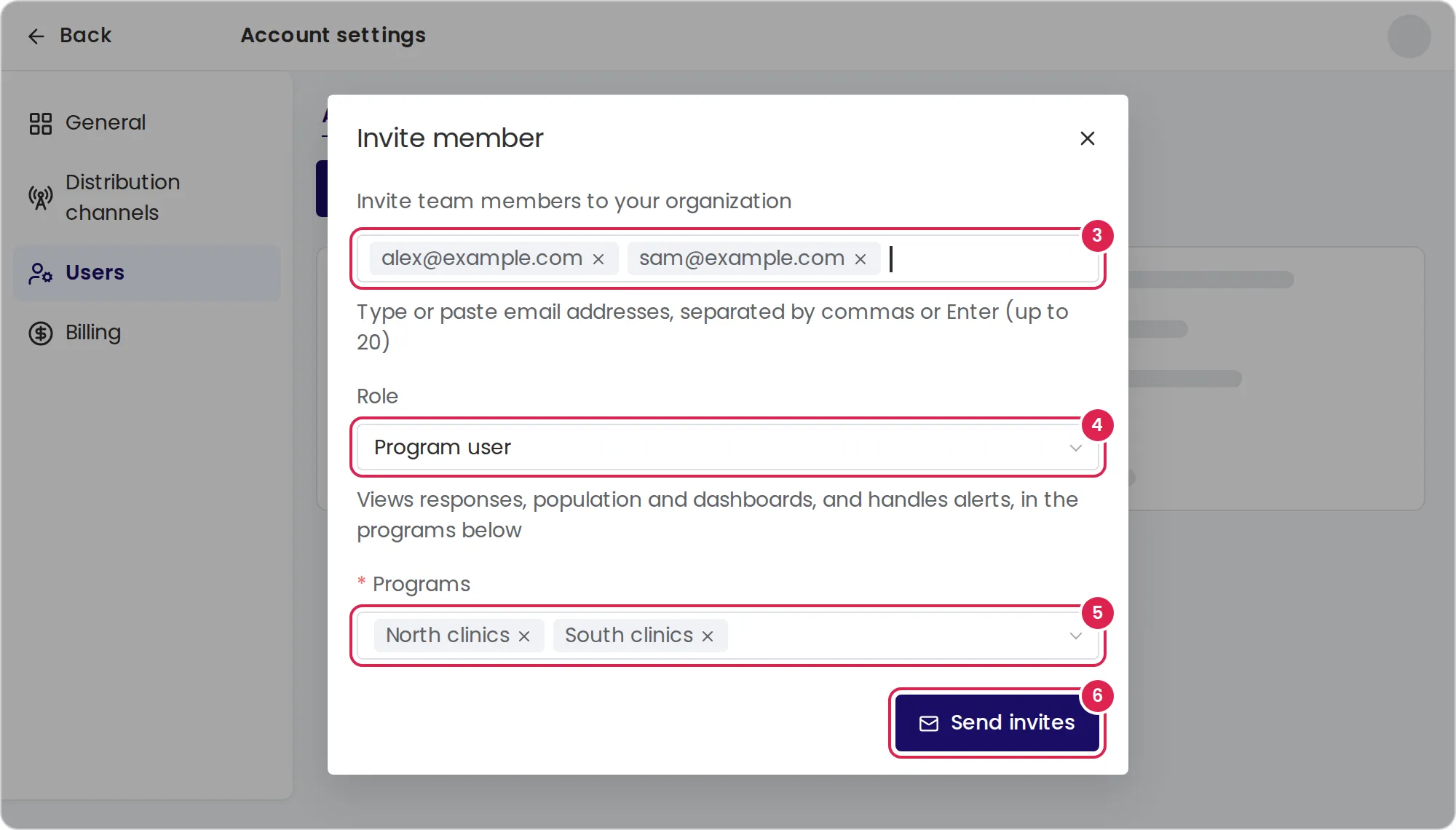
Type or paste the email addresses. Separate them with commas, spaces, semicolons or Enter. An address shown in red is not valid, so fix it or remove it.
-
Choose a Role. The dialog starts with Program user.
-
For a program admin or a program user, choose one or more programs under Programs. When the account has only one program, it is already chosen.
-
Select Send invites.
Result
Section titled “Result”Pristo CX opens Pending invites, with a row for each address: its role, its programs and the date the email was last sent. Each person gets an email with a button to join your account, in your interface language: English, Spanish or Hebrew.
What the invited person does
Section titled “What the invited person does”A person who already has a Pristo CX user joins the account when they select the button, then signs in. A person who is new to Pristo CX enters a first name, a last name and a password, then selects Join organization. See Create a Pristo CX account.
The person then moves from Pending invites to Active users, with the role and programs you chose. An invitation does not expire. It stays pending until the person joins or you delete it.
Resend or delete an invitation
Section titled “Resend or delete an invitation”-
In Users, select Pending invites.
-
Select the three-dot menu on the invitation’s row.
-
Select Resend to send the email again with the same link, or Delete to cancel the invitation.
A deleted invitation frees its seat, and its link stops working. You cannot edit a pending invitation. To change its role or programs, delete it and invite the person again.
Limits
Section titled “Limits”- Addresses per invitation: up to 20, and no more than the seats left on your plan. The hint under the address field shows how many you can add.
- Each address: up to 250 characters, in the form
name@company.com. Pristo CX changes addresses to lowercase and drops duplicates. - An address cannot be invited while it has a pending invitation or belongs to a user of the account. A deactivated user still belongs to the account.
- Resend: once every 24 hours for each invitation, and only while it is pending.
Troubleshooting
Section titled “Troubleshooting”The invite button is disabled. Active users and pending invitations have reached your plan’s user limit, and a message next to the button says so. Deactivate a user, delete a pending invitation or upgrade the plan.
The send button stays disabled. The address field is empty or has an address that is not valid, or you chose a program admin or program user role without a program.
The dialog lists addresses that are already invited or members. Remove those addresses and send again. If one of them belongs to a deactivated user, reactivate that user instead, as described in Manage who can use a program.
Resending fails. The message The invitation already send in the last 24 hour means the email was sent less than 24 hours ago. Try again later.
The person did not get the email. Check the address in Pending invites. If it is wrong, delete the invitation and invite the right address. If it is right, ask the person to check their spam folder, or resend the invitation.
The link says the invitation is not found. The invitation was deleted. Send a new one.